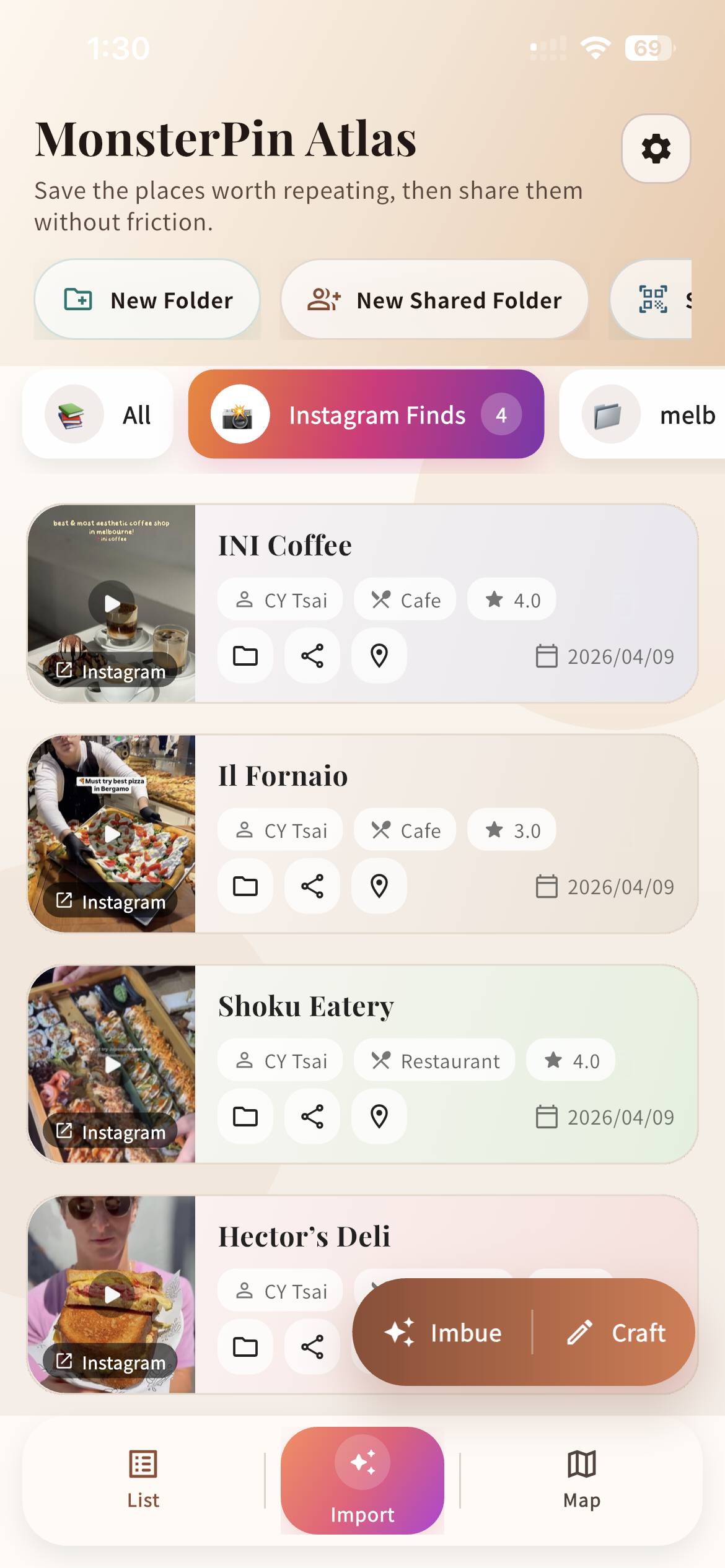
Import Review
Instagram links and clues become something editable before the place is saved, so your memory is still attached at capture time.
Instagram is how you discover restaurants. But saved posts are buried, screenshots pile up, and chat links disappear. MonsterPin converts your Instagram discoveries into a real, organized, searchable list.
Free to start · iPhone · No account required to explore

Instagram is the best restaurant discovery feed in the world. It's also the worst place to actually store them.
Instagram's saved folder has no notes, no map, no memory of why you saved it. Scroll far enough and it's gone forever.
You photographed a reel you loved. Now it's buried somewhere between 6,000 photos. Good luck finding it on Saturday night.
That recommendation someone sent you in DMs? Scrolled past. That link in the group chat? Expired. The restaurant? Forgotten.
No copy-paste. No manual entry. Just share it to MonsterPin and it's done.
Use the iOS share sheet to send an Instagram post, screenshot, or link directly to MonsterPin. Works from any app.
It captures the place, adds map context, and lets you add a personal note or folder before saving.
Search by name, browse by folder, or open the map. Your picks are always one tap away — no digging required.
These screens map directly to the workflow on this page: bring a restaurant in from Instagram, keep the context, and share it forward cleanly.
Instagram links and clues become something editable before the place is saved, so your memory is still attached at capture time.
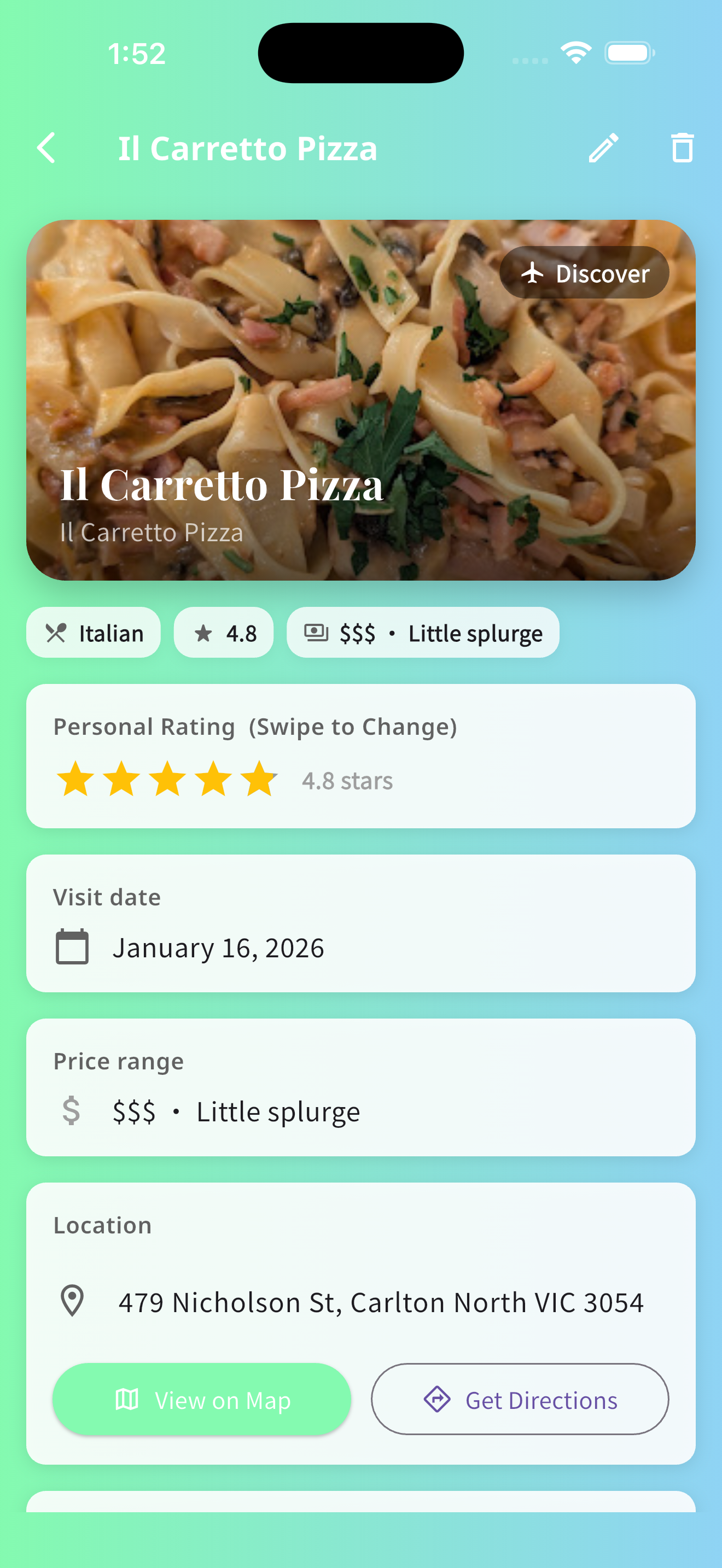
The recommendation keeps its image and personality instead of collapsing into another dead bookmark.
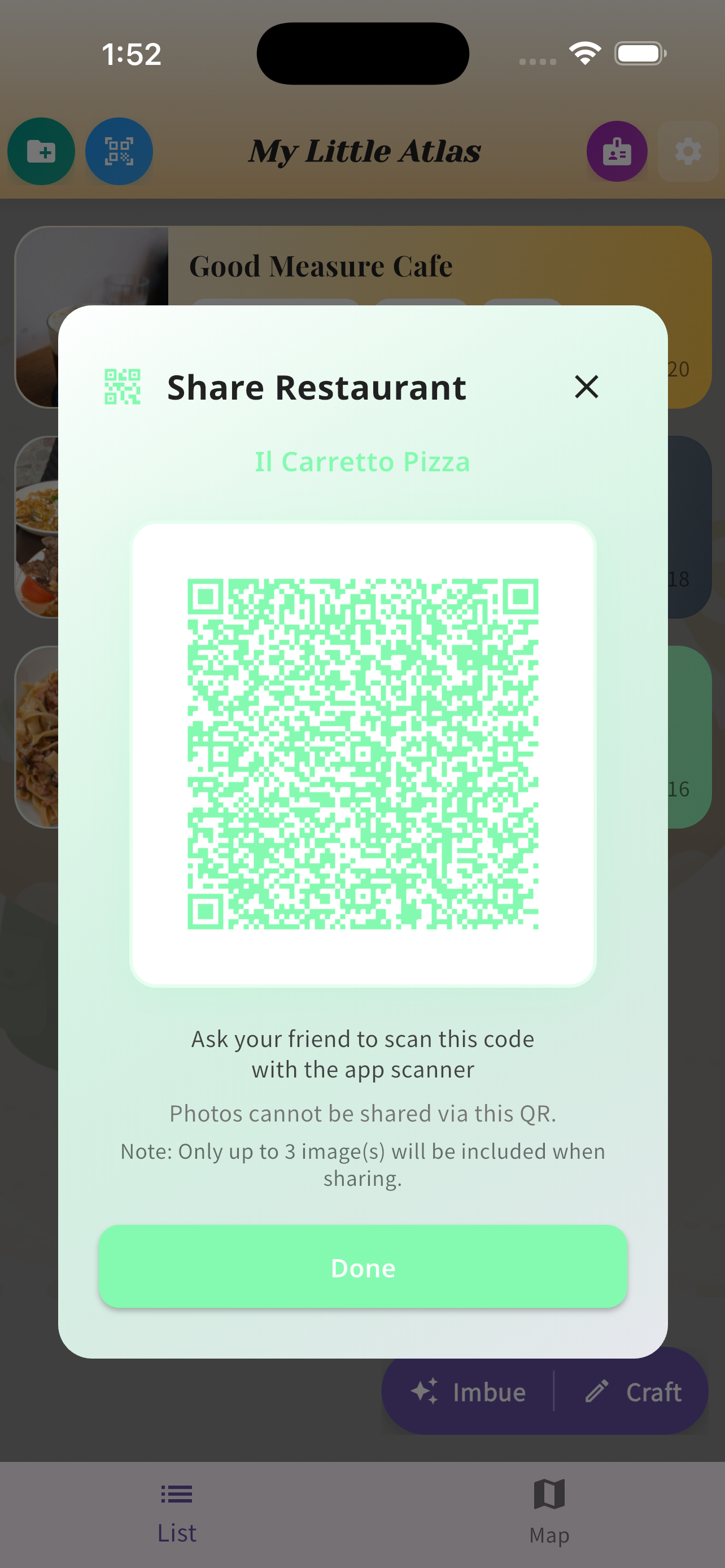
Once a place is saved properly, handing it to a friend becomes a clean, reusable transfer instead of another screenshot.
Share posts, reels, or screenshots to MonsterPin from the iOS share sheet. No copy-paste, no friction, no forgetting.
Organize by city, cuisine, or occasion. Add notes like "try the ramen" so you remember exactly why you saved it.
See all your saved places on a map. Find what's nearby when you're already out and hungry.
Send your curated restaurant map to friends. They get your actual picks — not a raw Instagram saved folder.
| Feature | Instagram Saved | MonsterPin |
|---|---|---|
| Add a personal note | ✗ | ✓ |
| See places on a map | ✗ | ✓ |
| Organize into folders | Limited | ✓ |
| Search by name or tag | ✗ | ✓ |
| Share a curated list | ✗ | ✓ |
| Works across sources (DMs, screenshots, links) | ✗ | ✓ |
| Free to start | ✓ | ✓ |
Yes. Use the iOS share sheet to send any Instagram post or reel to MonsterPin. It captures the place and lets you add a note right away — no copy-paste needed.
Exactly. MonsterPin is built for people who find restaurants through Instagram and want a real home for those discoveries — with notes, folders, and a map view. Not just another saved post buried in a feed.
Yes. You can share your curated restaurant list or map with friends, so they can see your picks in one clean view — not a screenshot of your Instagram saves.
Yes, currently iPhone only. Android is on the roadmap — sign up to be notified when it launches.
Free to start. No account required to explore. Download in 30 seconds.
Download Free on iPhoneYour saved restaurants, always there when you need them.
Compare with Google Maps saved places →