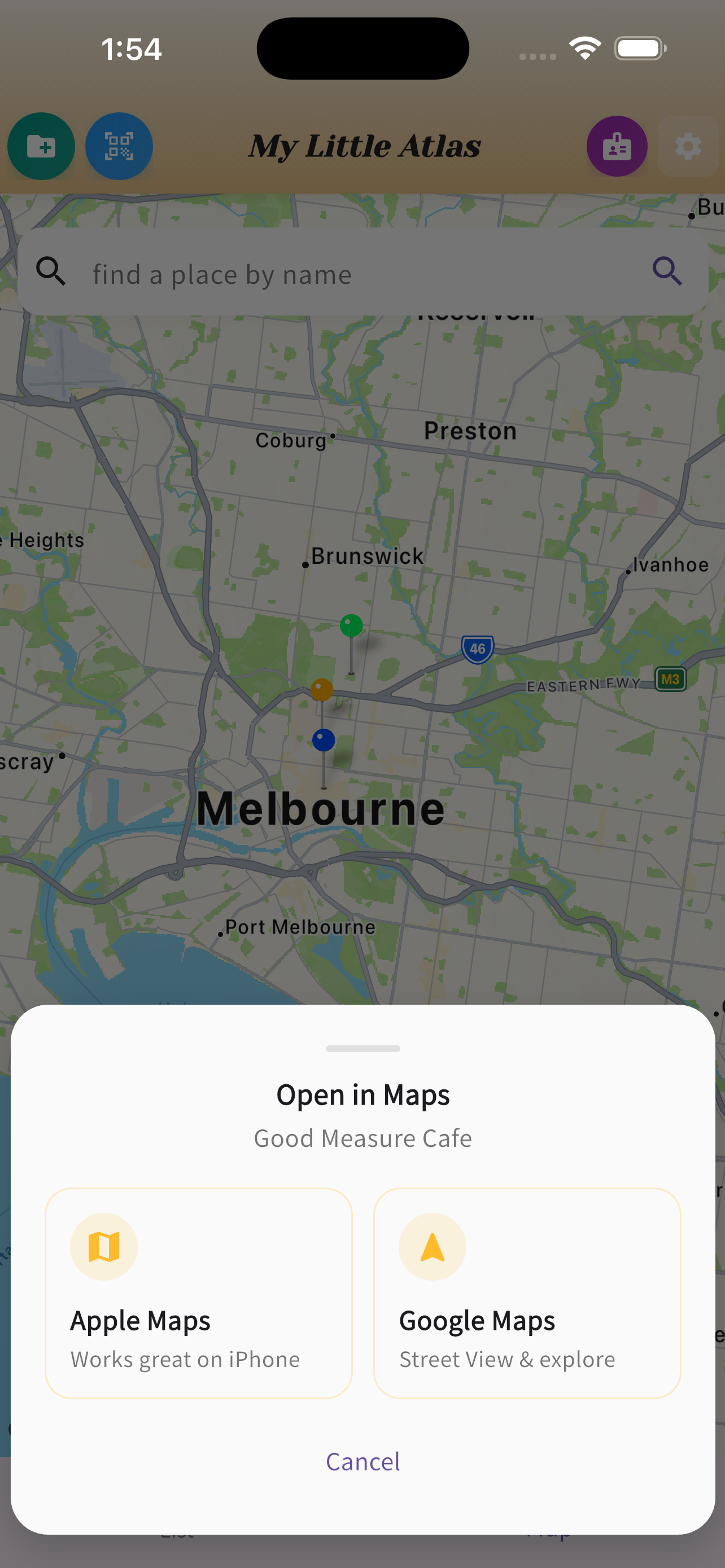
External Maps Context
Keep navigation utility without letting your recommendation system disappear into a generic map product.
Google Maps saved places mixes restaurants with dentist offices, parking lots, and everything else. MonsterPin is built only for places you want to eat — with real folders, personal notes, and lists you can actually share.
Free to start · iPhone · No account required
Google Maps is great for navigation. As a restaurant organizer, it falls short in ways that actually matter.
Your dentist, a parking lot, and that ramen place you wanted to try are all in the same list. There's no way to separate food from everything else.
You saved it, but why? Google Maps gives you no space to record that you heard about it from a friend, or that you specifically want the omakase.
Sending a Google Maps list doesn't feel like a recommendation — it feels like a link dump. There's no curation, no story, no reason to trust the list.
| Feature | Google Maps Saved | MonsterPin |
|---|---|---|
| Restaurant-only focus | ✗ | ✓ |
| Personal notes on each place | ✗ | ✓ |
| Organized named folders | Limited | ✓ |
| Share a curated list with friends | Limited | ✓ |
| Save from Instagram / photos | ✗ | ✓ |
| Works without a Google account | ✗ | ✓ guest mode |
| Free to start | ✓ | ✓ |
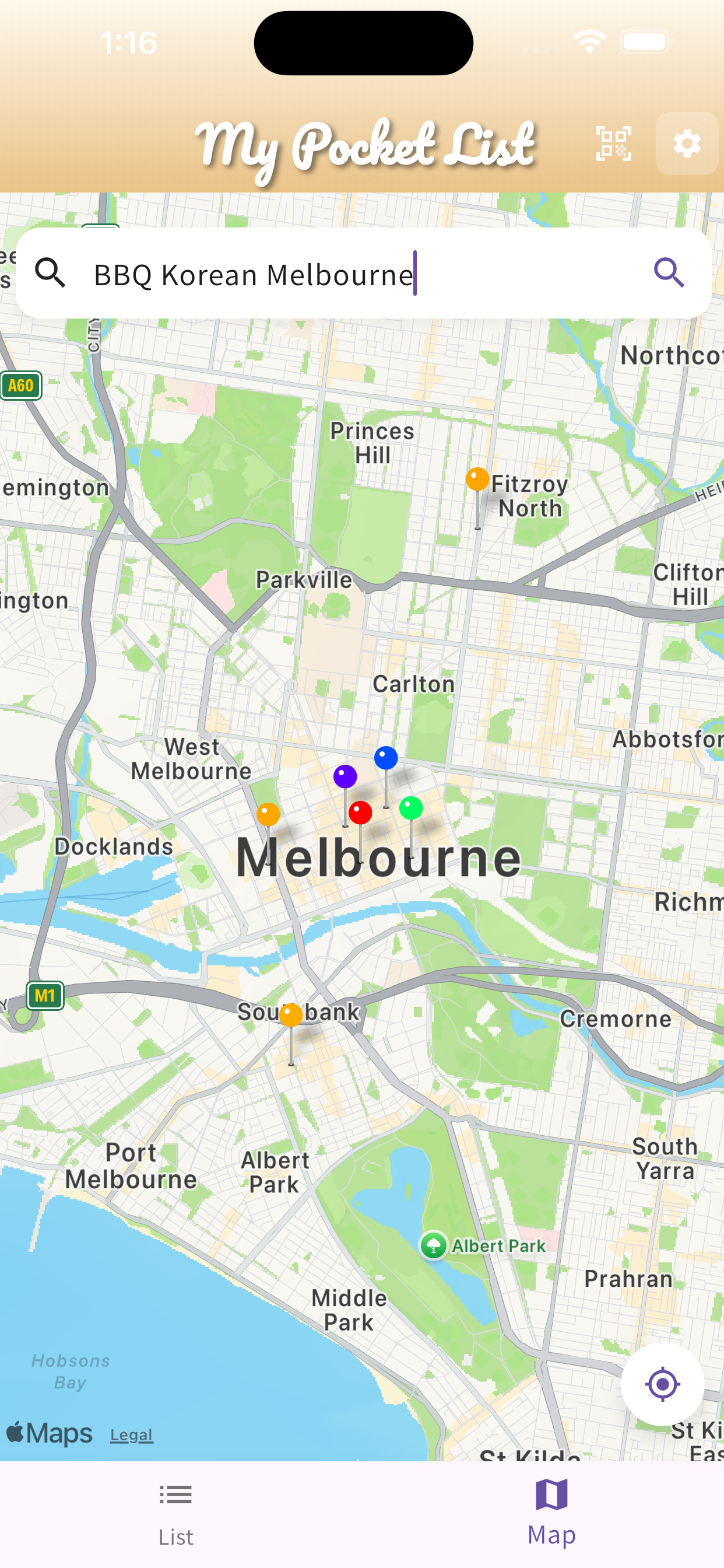
These screens show the difference in practice: external maps context, a dedicated food map, and a recommendation card that carries more than a pin.
Keep navigation utility without letting your recommendation system disappear into a generic map product.
Your saved places are restaurants, not hardware stores and parking lots mixed into the same layer.
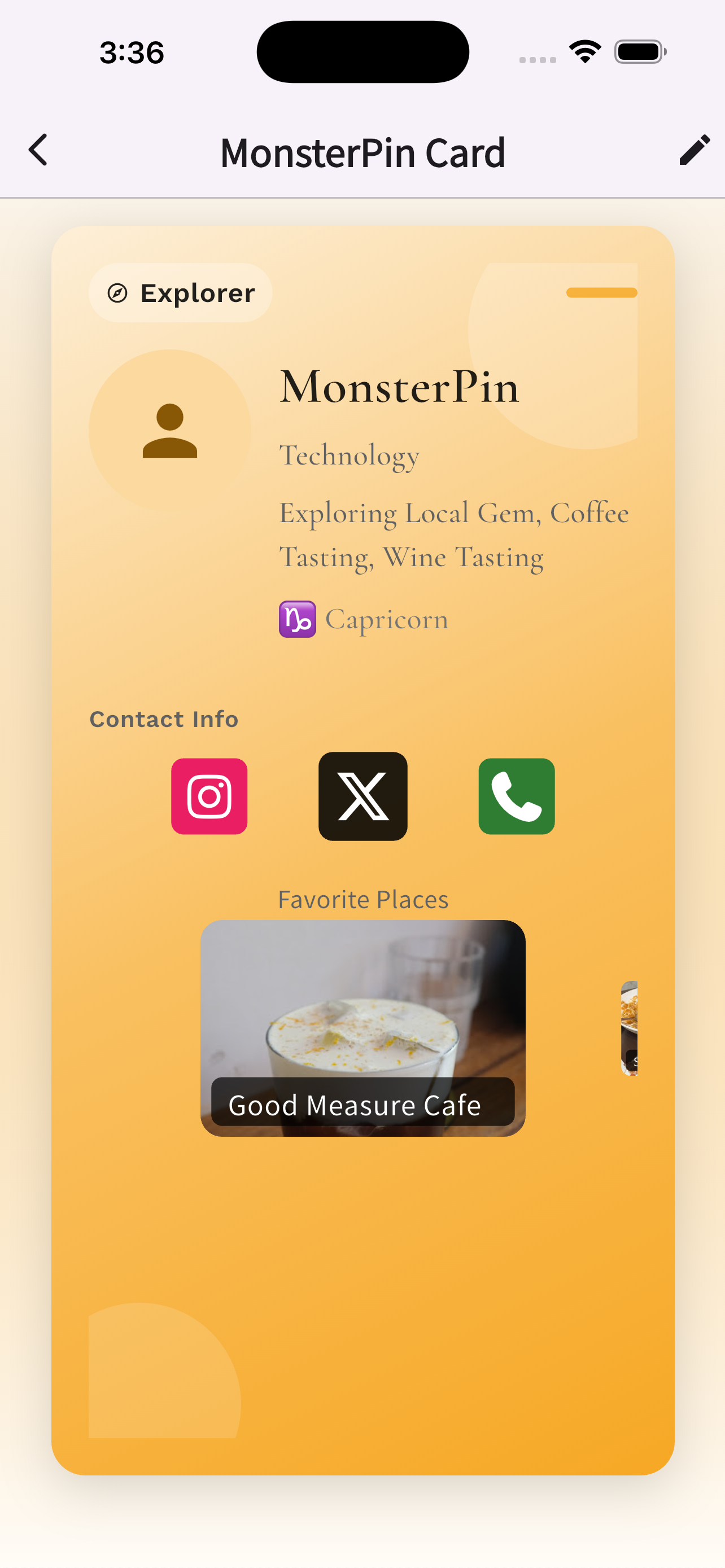
What you share carries taste, context, and memory cues, instead of a raw map link with no explanation.
MonsterPin isn't for everyone. It's for people who have opinions about where to eat.
You know every neighbourhood. MonsterPin is your private guide that you can actually share when someone asks for recommendations.
Before every trip, you build the list. MonsterPin keeps it organized, with map context and folders by city so nothing gets lost.
Your saved restaurants are a portrait of what you love. MonsterPin makes that collection beautiful and shareable — not buried in Google Maps.
Yes, specifically for restaurants and food places. While Google Maps is a general navigation tool, MonsterPin is built around curation — folders, notes, and the ability to share a clean list with friends who actually trust your taste.
Yes. MonsterPin lets you create named folders by city, cuisine, or occasion, add personal notes to each place, and see everything on a map — something Google Maps saved places doesn't support meaningfully.
Yes. You can share your list or map with friends so they see your actual picks in a clean view — not a generic Google Maps link that tells them nothing about why you chose each place.
Yes, free to start. You can save and organize restaurants without creating an account. Premium features like shared collaborative folders are available via in-app subscription on iPhone.
Organized. Personal. Shareable. Download in 30 seconds.
Download Free on iPhoneFree to start. No Google account required.
Save restaurants from Instagram →